How to Plan Ranking Shorts With AI
Use ChatGPT to brainstorm ideas and rank titles, then assemble the short by hand in RankCut.
Gather shareable scene notes
Start with footage you can use and write down the duration and visible action. For private footage or identifying details, use a brief written summary you can safely share.
Prompt for grounded titles
Try “Use only these scene notes. Give me three English titles per clip, six words or fewer, without giving away the payoff.” Discard lines that invent events or people’s motives.
Assemble the short in RankCut
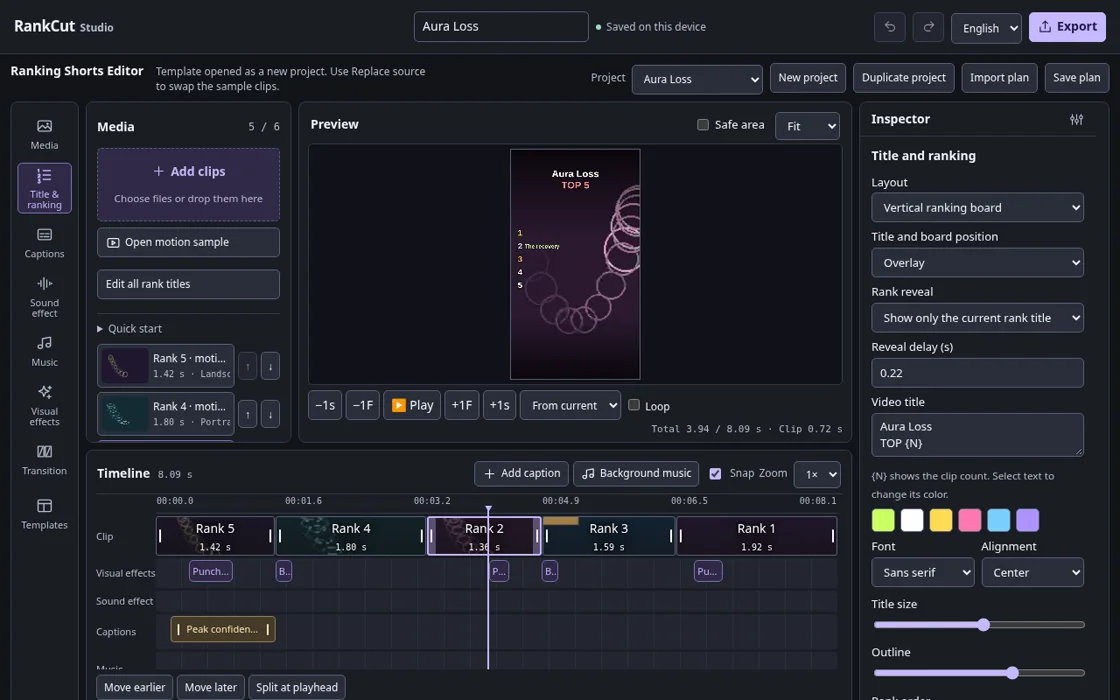
Open Aura Loss, replace the example clips, then type the chosen titles. The sample presents ranks out of order. Use the rank field on each clip to change the order you want the audience to discover.
Listen and adjust
If you add a scratch, preview how it lands around the reveal. Move it or reduce its volume if it covers a key reaction or line of dialogue. The placement is yours to control.
Save a checked file
The public RankCut editor uses manual editing controls. Review the titles, footage rights and export options before saving. Codec choices depend on your browser.